

Introduction
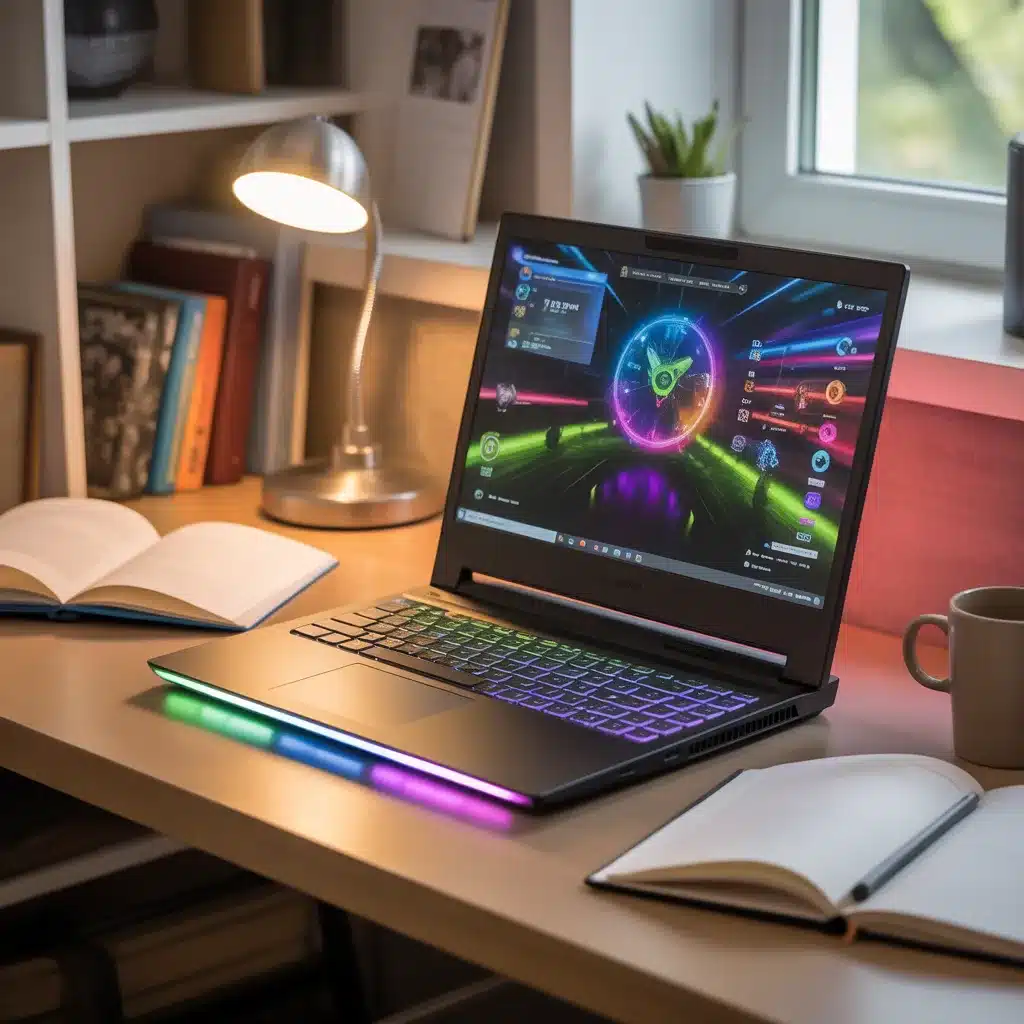
Picture this: It’s 1 am, you’ve just wrapped up a group project in the library, and now you’re ready to take a break with your favorite game. For today’s students, a laptop isn’t just a study tool; it’s a lifeline—a way to balance academic hustle with some much-needed entertainment. But with college costs soaring, finding a device that’s powerful enough for gaming and affordable enough for your budget can feel impossible.
Don’t worry—affordable gaming laptops for students are more accessible and capable than ever. Whether you’re grinding through assignments, editing videos for a class, or battling it out in online games, this guide is your ticket to making a smart, future-proof choice.
Why Affordable Gaming Laptops Matter for Students

Let’s be real: student life is expensive. Between tuition, textbooks, meals, and rent, there’s not always much left over for a high-end gaming rig. But that doesn’t mean you have to sacrifice performance or portability. Today’s best student-friendly gaming laptops strike a balance between affordability, performance, and portability.
Common Student Challenges:
- Budget constraints: Every dollar counts.
- Portability needs: You’re always on the move, from classrooms to dorms.
- Performance: You want to play games, but you also need to handle schoolwork, streaming, and multitasking.
- Durability: Your laptop should survive being thrown in a bag and, let’s be honest, the occasional coffee spill.
A truly affordable gaming laptop for students shouldn’t just be cheap; it should be a reliable partner for both study and play.
Key Features to Look for in a Student Gaming Laptop

Before you buy, let’s break down the important specs and features you should care about:
1. GPU (Graphics Processing Unit)
The GPU is the heart of your gaming experience. It renders beautiful visuals and smooth frame rates.
- Entry-level GPUs (NVIDIA GTX 1650, RTX 3050): Great for popular esports and indie titles.
- Mid-range GPUs (RTX 4050, RTX 4060, AMD RX 7600S): Ideal for AAA games at medium/high settings.
- High-end GPUs (RTX 4070+): For those who want maxed-out graphics and future-proofing.
- Why it matters: A better GPU means smoother gameplay, less lag, and more immersive graphics.
2. CPU (Central Processing Unit)
Handles everything from running your games to completing assignments.
- Intel Core i5/i7 (12th/13th Gen), AMD Ryzen 5/7 (7000 series): Offer fast multitasking and efficient power use.
- Why it matters: A strong CPU helps your laptop stay responsive, whether you’re gaming, coding, or video editing.
3. RAM (Memory)
- 8GB: Absolute minimum; good for light gaming and basic multitasking.
- 16GB: Ideal for gaming, multitasking, and running heavier applications.
- Why it matters: More RAM = smoother performance, especially when you have lots of tabs or programs open.
4. Storage
- SSD (Solid State Drive): Loads games and applications much faster than HDDs.
- 512GB SSD: Minimum recommended; 1TB ideal if you store lots of games or media.
- Why it matters: Fast storage means less waiting and more playing (or studying).
5. Display Quality
- Resolution: 1080p (Full HD) is the sweet spot for clarity and performance.
- Refresh Rate: 120Hz or higher for smooth visuals, especially in fast-paced games.
- Why it matters: Better displays reduce eye strain and make both games and homework look better.
6. Battery Life
- Aim for 5–8 hours: You’ll need enough juice to get through classes and study sessions.
- Why it matters: Gaming drains batteries fast, so prioritize efficiency if you’re often away from outlets.
7. Portability and Build Quality
- Weight: Under 5 lbs is ideal for carrying around campus.
- Durability: Look for sturdy construction and spill-resistant keyboards.
- Why it matters: You need a laptop that can handle the bumps and bruises of student life.
Comparison Table: Top Gaming Laptops for Students (2024)
| Model | Price (USD) | CPU | GPU | RAM | Storage | Display | Battery Life | Weight | Best For | Link |
|---|---|---|---|---|---|---|---|---|---|---|
| Acer Nitro 5 (2024) | $899–$1,099 | Intel Core i5-12500H | NVIDIA RTX 4060 | 16GB | 512GB SSD | 15.6″ FHD, 144Hz | 5–7 hrs | 5.5lb | Best all-round, value for performance | View on Amazon |
| ASUS TUF Gaming F15 | $999–$1,199 | Intel Core i7-12700H | NVIDIA RTX 4060 | 16GB | 1TB SSD | 15.6″ FHD, 144Hz | 7–8 hrs | 4.9lb | Durability, battery life, esports | View on Best Buy |
| Lenovo LOQ 15 | $899–$1,099 | Intel Core i5-13420H | NVIDIA RTX 4050 | 16GB | 512GB SSD | 15.6″ FHD, 144Hz | 6–7 hrs | 5.3lb | Budget-friendly, upgradeable | View on Lenovo |
| HP Victus 16 | $849–$1,049 | AMD Ryzen 7 7840HS | NVIDIA RTX 4060 | 16GB | 512GB SSD | 16.1″ FHD, 144Hz | 5–6 hrs | 5.4lb | Large display, good for multitasking | View on HP |
| Dell G15 (2024) | $899–$1,299 | Intel Core i7-13650HX | NVIDIA RTX 4060 | 16GB | 1TB SSD | 15.6″ FHD, 165Hz | 6–7 hrs | 6.2lb | Reliable build, strong support | View on Dell |
| MSI Cyborg 15 (2024) | $1,049–$1,299 | Intel Core i7-12650H | NVIDIA RTX 4060 | 16GB | 1TB SSD | 15.6″ FHD, 144Hz | 5–6 hrs | 4.4lb | Portability, slim design | View on B&H |
| Asus ROG Zephyrus G14 (High-End) | $1,499–$1,899 | AMD Ryzen 9 8945HS | NVIDIA RTX 4070 | 16GB | 1TB SSD | 14″ QHD+, 165Hz | 7–10 hrs | 3.6lb | Ultra-portable, premium gaming | View on Asus |
| Razer Blade 15 (High-End) | $1,799–$2,499 | Intel Core i7-13800H | NVIDIA RTX 4070 | 16GB | 1TB SSD | 15.6″ QHD, 240Hz | 6–8 hrs | 4.4lb | Sleek, premium, future-proof | View on Razer |
In-Depth Reviews of the Best Laptops
1. Acer Nitro 5 (2025)
- Performance: A favorite among students for its great price-to-performance ratio. The RTX 3050 Ti can handle most modern games at medium settings, while the Intel Core i5-12500H ensures smooth multitasking.
- Why Students Love It: Easy to upgrade RAM and storage, robust cooling, and a comfortable keyboard.
- Pros: Affordable, solid performance, upgradable, good support.
- Cons: Slightly heavier, battery life could be better.
2. ASUS TUF Gaming F15
- Performance: Military-grade durability and a powerful RTX 5060 make this an excellent choice for students who need a rugged laptop.
- Why Students Love It: Long battery life for a gaming laptop, durable chassis, and easy to carry.
- Pros: Great battery, tough build, high refresh rate display.
- Cons: Speakers are average, slightly bulkier design.
3. Lenovo LOQ 15
- Performance: Lenovo’s LOQ series is rising fast in the student market. The RTX 5050 GPU with upto 5060 and AMD Ryzen 5 220 processor bring solid power at a budget price.
- Why Students Love It: Sleek design, super upgradable, great keyboard.
- Pros: Affordable, upgradable, clean aesthetics.
- Cons: Display is standard, battery life is average.
4. HP Victus 16
- Performance: The Victus 16 is popular for its large display and 13th Generation Intel® Core™ i5 processor. The RTX 4050 GPU offers solid gaming for less.
- Why Students Love It: Big screen for multitasking, minimalist design, good thermals.
- Pros: Large display, good value, reliable support.
- Cons: Bulkier and heavier, battery is average.
5. Alienware 16 Aurora (2025)
- Performance: Alienware 16 Aurora is all about reliability. With the Intel® Core™ 7-240H Series 2 and RTX 5050, you get high performance and peace of mind with Dell’s strong customer support.
- Why Students Love It: Great cooling, robust build, customizable lighting.
- Pros: Reliable brand, strong cooling, upgradable parts.
- Cons: Heavier, fans can get loud.
6. MSI Cyborg 15 (2025)
- Performance: A slim, lightweight gaming laptop that doesn’t skimp on power. Perfect for students who value portability.
- Why Students Love It: Sleek lines, light to carry, and great for both gaming and lectures.
- Pros: Light, stylish, strong performance.
- Cons: Battery life is just average for gaming.
7. Asus ROG Zephyrus G14 (High-End)
- Performance: The G14 is incredibly light and powerful. If you want the best portable gaming experience, this is it.
- Why Students Love It: Fits in any backpack, long battery life, premium feel.
- Pros: Ultra-portable, powerful, gorgeous display.
- Cons: Pricey, limited ports.
8. Razer Blade 15 (High-End)
- Performance: The Razer Blade line sets the bar for build quality and future-proofing, with a beautiful QHD, high-refresh display.
- Why Students Love It: Professional look, superb build, and performance that lasts for years.
- Pros: Sleek, premium feel, outstanding display.
- Cons: Expensive, can run warm.
How to Choose the Right Gaming Laptop for Your Needs
1. Balance Gaming and Study Needs
- If you’re a competitive gamer (Valorant, CS2): Entry or mid-range GPUs (RTX 4050/4060) are perfect.
- If you play AAA titles (Cyberpunk 2077, Elden Ring): Get a mid/high-end GPU (RTX 4060/4070).
- For design, engineering, or video editing: Prioritize RAM and CPU.
2. Consider Your Budget
- Most solid gaming laptops for students range from $850 to $1,300.
- High-end models for max performance range from $1,500 to $2,500.
- Look for sales (back-to-school, Black Friday, Cyber Monday), and always check for student discounts.
3. Brand Reliability
- Stick to reputable brands: Acer, ASUS, Lenovo, HP, Dell, MSI, Razer.
- Prioritize models with strong warranty coverage and responsive support.
4. Think Portability
- If you’re always on the move, look for thin, light models with strong battery life (like MSI Cyborg or Asus Zephyrus G14).
5. Upgradeability
- Choose laptops with extra RAM slots or accessible SSD bays if you want to boost performance in the future.
Buying Tips for Students on a Budget
- Shop Smart: Time your purchase around student sales, Black Friday, or manufacturer promotions.
- Refurbished is OK: Certified refurbished laptops can save you hundreds and still offer warranty protection.
- Maximize Discounts: Use UNiDAYS, Student Beans, or manufacturer student portals.
- Don’t Overbuy: Stick to what you need. Don’t pay for features (like 4K displays) you won’t use.
- Prioritize Core Specs: CPU, GPU, RAM, SSD, and display matter most for gaming and study.
Frequently Asked Questions
Are gaming laptops good for studying?
Absolutely! Gaming laptops have powerful processors and plenty of RAM, making them excellent for multitasking, running heavy applications, coding, or even video editing for class projects.
What’s the difference between a gaming and a regular laptop?
Gaming laptops have dedicated GPUs and better cooling, making them more powerful for graphics-heavy tasks, but they’re often a bit heavier and costlier.
How can I get the best deal as a student?
Shop during seasonal sales, use student discount programs, and consider certified refurbished models for the best value.
Is 8GB RAM enough?
For basic gaming and studying, yes, but 16GB is highly recommended for future-proofing and multitasking.
Conclusion: Make the Smart Choice
Choosing an affordable gaming laptop for students is all about balance—getting the features you need for both fun and productivity while respecting your budget. The models featured here—from the value-packed Acer Nitro 5 to the ultra-premium Razer Blade 15—cover every student’s needs. Remember to consider your must-haves, compare deals, and don’t be afraid to invest in a machine that will support you throughout your academic journey.
Final Advice:
Take your time to weigh your options. Consider how much portability, power, and battery life you truly need. Shop smart, check for discounts, and choose a laptop that fits your lifestyle. Your next great study session or gaming victory is just a click away!
Ready to find your perfect laptop?
Compare, research, and make your move—the right affordable gaming laptop for students can change your academic and gaming life for the better.
If you liked this post Visit Other Posts Click Here.
1 thought on “Affordable Gaming Laptops for Students: The 2025 Ultimate Buyer’s Guide”